




1.1. What do I do if I paid the bill, but the access to the website is not opened?
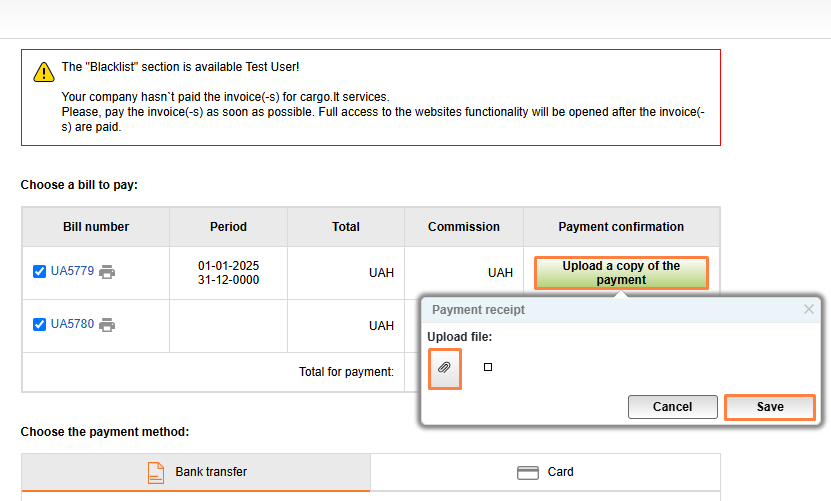
You will have to upload your payment receipt.
To do this, press the highlighted upload button inside the Payment receipt field. In the newly opened window, select your file by pressing, icon Add. Press Save after uploading your payment receipt.
If your access to the service is still unavailable after uploading your payment receipt. Please contact the website administrator at info@cargo.lt.


