




10.3. How to leave feedback to a company?
To leave your feedback on cooperation with the company, go to the company profile (in the catalog) and go to the Reviews tab.
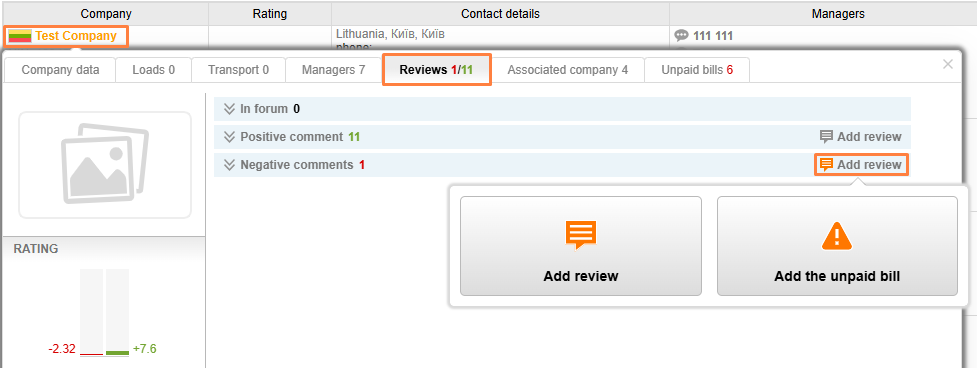
Select the Add a review or Submit an unpaid invoice tab. In order to leave a review, tick off the agreement with the conditions and click Agree.
_en.png)
Now you need to select the type of review (negative / positive), fill out the information, if necessary, upload documents confirming the review and click on Save.
_en.png)
Please note:
Companies receive 0.2 points for the feedback received, if the review is confirmed by a document it becomes – 2 points. Depending on the type of review, points are awarded in a negative or positive rating.
You can leave negative feedback on Cargo.LT only when uploading documents confirming transportation and complaints (contract, application, invoice, screenshots of correspondence, etc.).


