




4.5. Hide my offers for another company
To hide your offers from specific companies, click on your name, go to User profile, then continue to the Blocked tab. Press For companies in the left column. Type the name or code of the company to which your offers will not be shown in the load and truck search results.
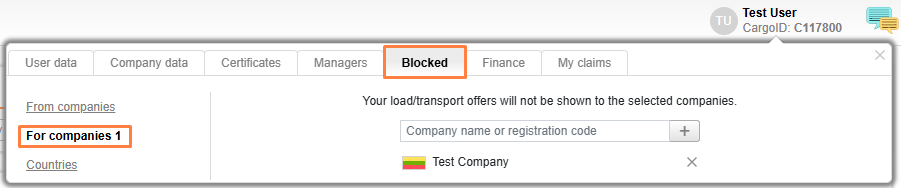
To remove the company from this list, press the Delete icon near the specific company.


