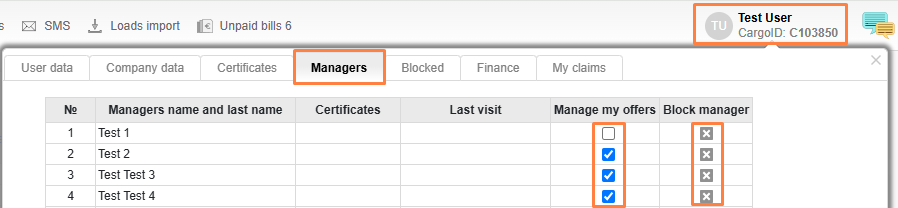

3.4. Managing my company managers
You can allow your company managers to manage your current offers, or block those who no longer work with you.
Click on your name, go to User Profile, then click on the Manager’s tab. In the list of your company managers, tick those users who can manage your offers. To block users, press the icon Block manager.