




8.4. Where to check matches for my load or truck offers?
After you added your load or truck, the system will automatically find match-ups on our website.
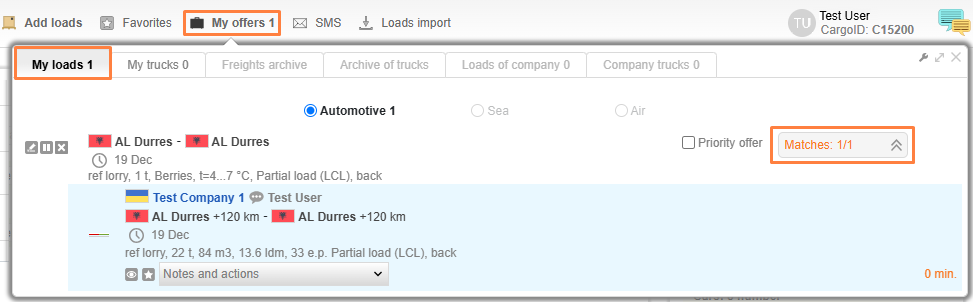
If a new offer is added to the data base that matches any load or truck offers, the number near the My offers subsection becomes orange.
To review any match-ups, click on My offers. The number of match-ups is shown on the right side of the offer screen. The orange number shows the number of new match-ups, the black number is the total number of match-ups for the given offer. To see the list of match-ups, click the arrow.
If you received an SMS with a match-up. To view the match-up, go to the Main page of the website, find the OFFER BY SMS drop-down menu and type the ID specified in the SMS, and then you will see the offer on the table.
_en.png)
Please note:
My Offers configuration. To select a notification type means that on match-ups with your currently active offers (sound or indication), press the Configuration icon and select the desired notification.
_en.png)


